Subscription Management
Manage your workspace’s subscription plan, including upgrades and cancellations, through the Settings & Members menu in your Indite homepage.
Upgrade Plan
To upgrade your workspace plan and increase monthly limits:
- Open the Settings & Members modal from your homepage.
- Navigate to the Billing & Usage tab.
- View your bots’ total usage, current plan, and paid invoices:
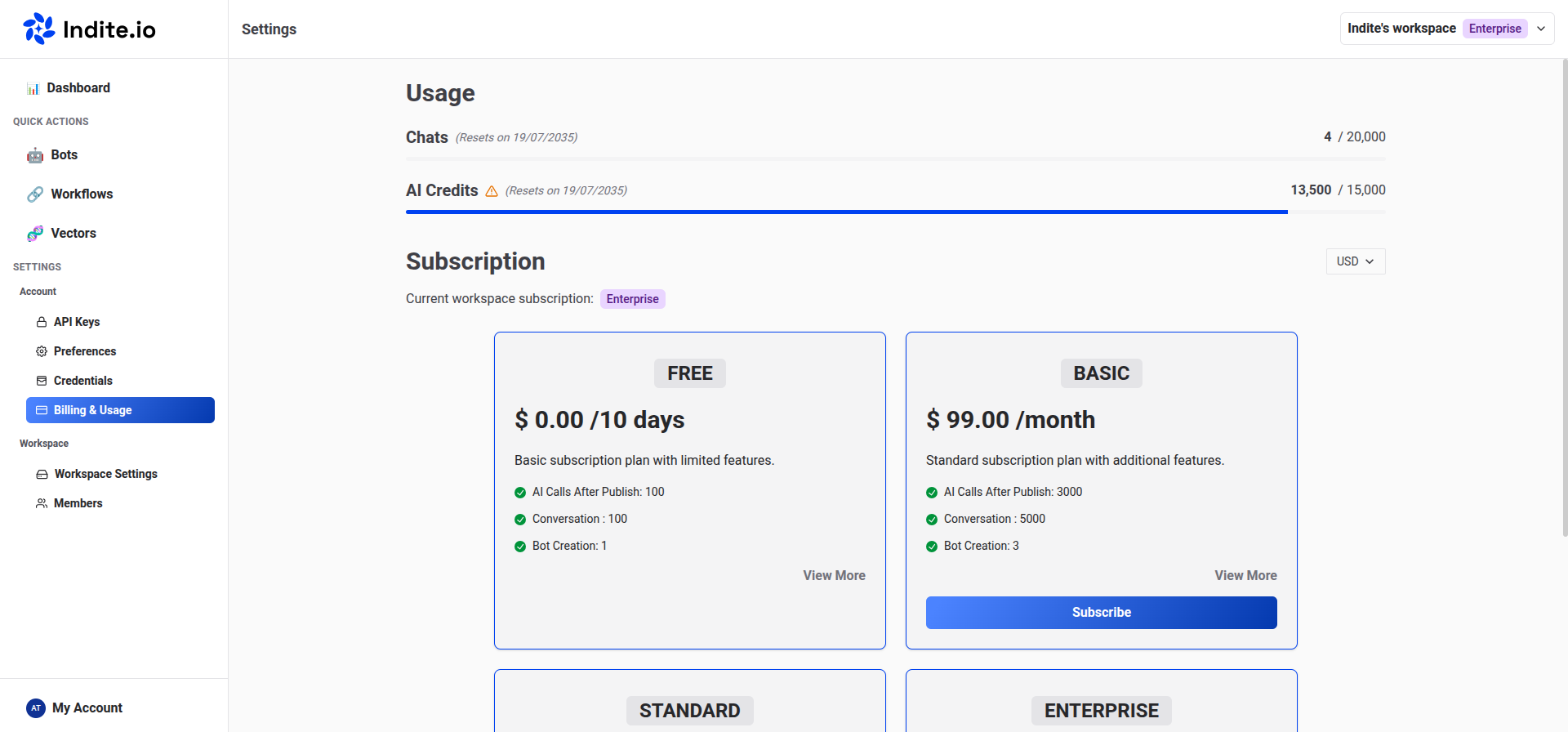
- Select your desired plan to upgrade.
Plan upgrades take effect immediately, and you’ll only be charged a prorated amount for the current billing cycle.
Cancel Plan
To cancel your workspace plan:
- Open the Settings & Members modal from your homepage.
- Go to the Billing & Usage tab.
- Click the Billing Portal button to access the billing portal.
- Follow the prompts to manage and cancel your subscription.
⚠️
Canceling your subscription will downgrade your workspace to the free plan at the end of the current billing cycle.