NocoDB Integration Block
The NocoDB block empowers you to seamlessly interact with NocoDB tables, enabling you to create, update, or retrieve data within your workflows. Designed for NocoDB’s spreadsheet-like interface, it simplifies data management with a low-code approach, leveraging NocoDB’s robust API.
Ensure you have your NocoDB API token and Table ID ready to configure the block for secure and efficient data access.
Finding Your Table ID
To locate your Table ID, navigate to your NocoDB dashboard and click the three-dot menu next to the desired table name. The Table ID will be displayed in the menu options or details panel.
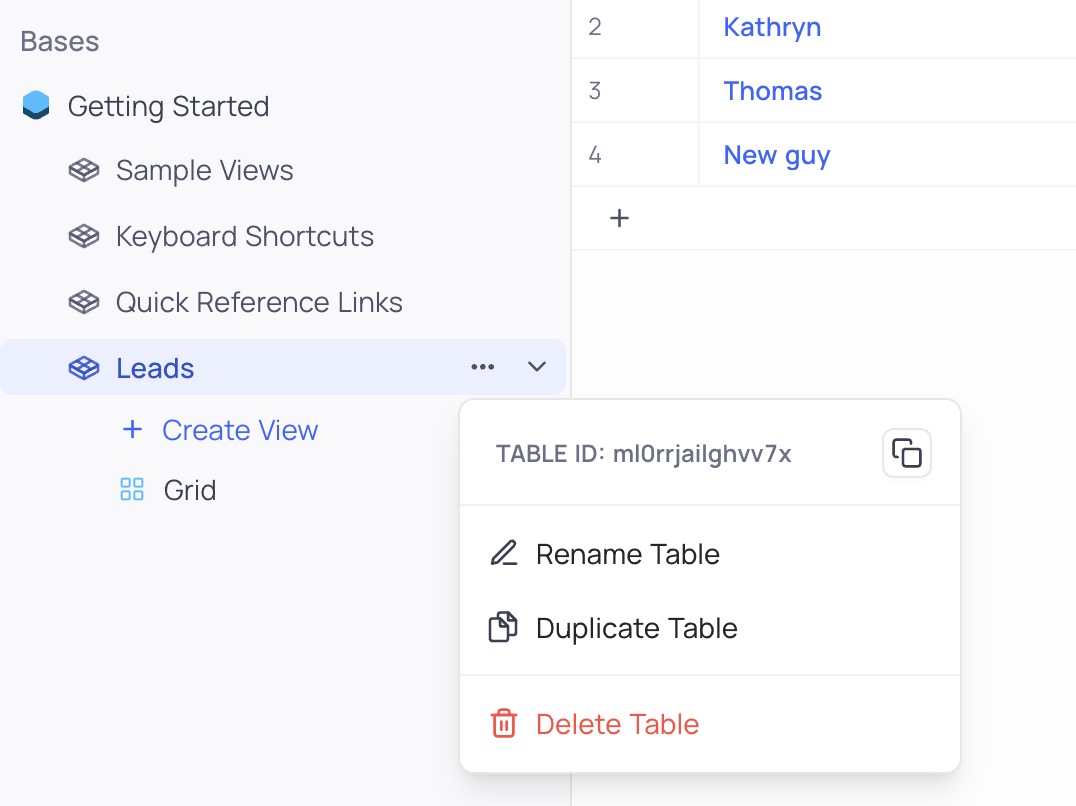
Verify that the /images/blocks/integrations/nocodb-table-id.jpg file exists in your project’s public directory and update the path if necessary.
Searching Records
The Search Records action enables you to retrieve existing records from a NocoDB table. It requires a Table ID and optionally accepts a View ID to query a specific view, offering tailored data retrieval.
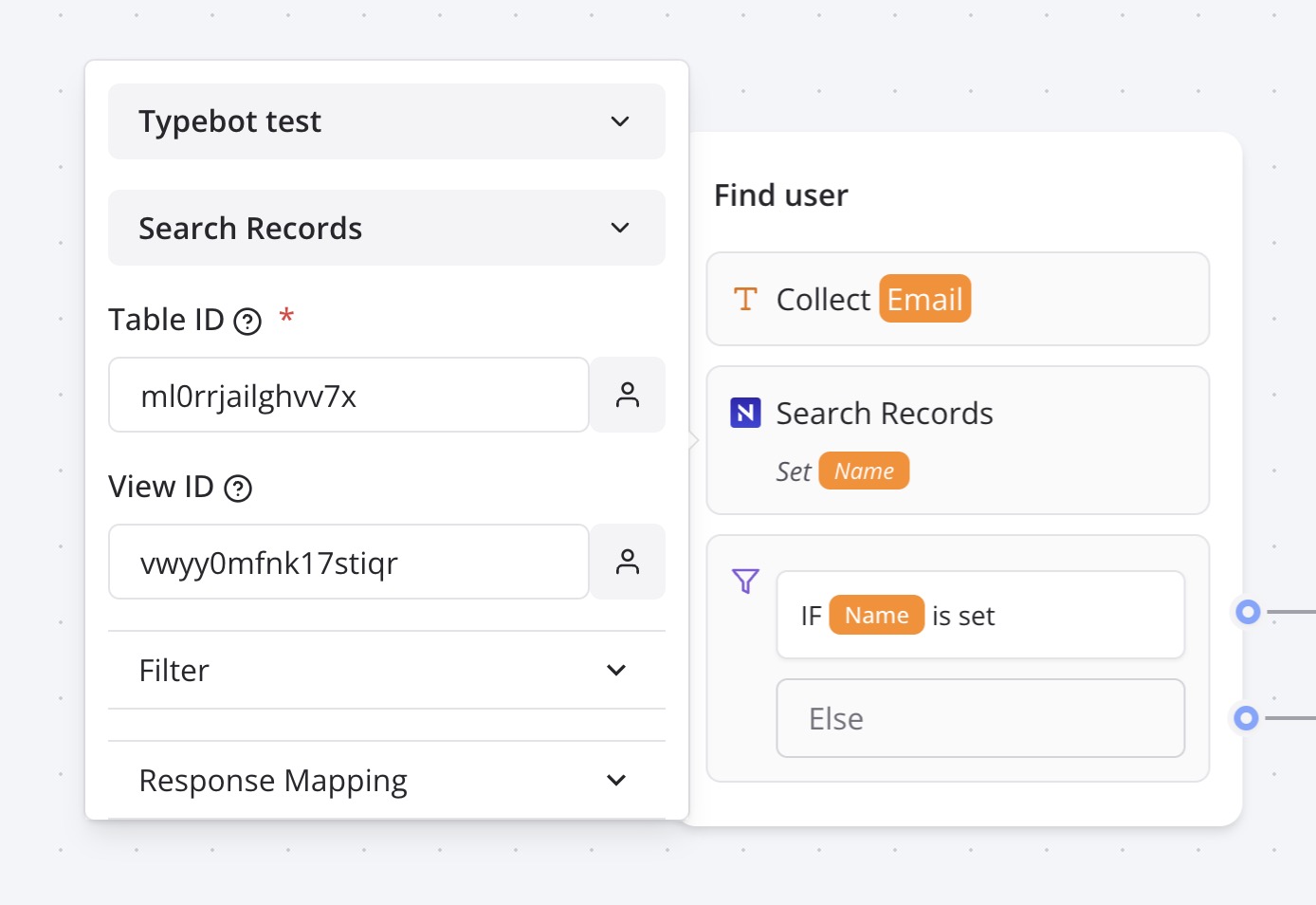
Ensure the /images/blocks/integrations/nocodb.jpg file is correctly placed in your project’s public directory.
You can customize the search filter to return All matching records, the First or Last record, or a Random record from the results. After retrieving the data, map the returned fields to bot variables for reuse in your workflow, enabling dynamic interactions with your NocoDB data.
Troubleshooting
Common Issues
- Invalid Table ID: Ensure the
Table IDis correctly copied from the NocoDB dashboard’s three-dot menu. - API Token Errors: Verify the API token in the NocoDB dashboard under Settings > API Tokens and ensure it has appropriate permissions.
- View ID Issues: Confirm the
View IDmatches the target view if specified; omit for default table access. - Connectivity Problems: Check the NocoDB instance URL and network access, especially for self-hosted instances.
- WhatsApp Compatibility: Ensure data outputs (e.g., text,
.mp4) align with WhatsApp constraints—see WhatsApp Guide.
Test the NocoDB block in the Indite editor’s preview mode to validate connectivity and data retrieval before deployment.