Jump Block
The Jump block allows you to redirect your bot's flow to a specific block, helping you maintain a clean and organized workflow by avoiding complex branching.
Use the Jump block in the Flow Editor to streamline your bot's flow by redirecting to a specific block.
Key Features
- Flow Redirection: Jump to any block within your bot's flow
- Modular Design: Reuse common conversation segments without duplication
- Clean Organization: Reduce visual clutter from crossing connection lines
- Loop Creation: Build iterative conversations by jumping back to earlier points
- Conditional Routing: Combine with Condition blocks for dynamic navigation
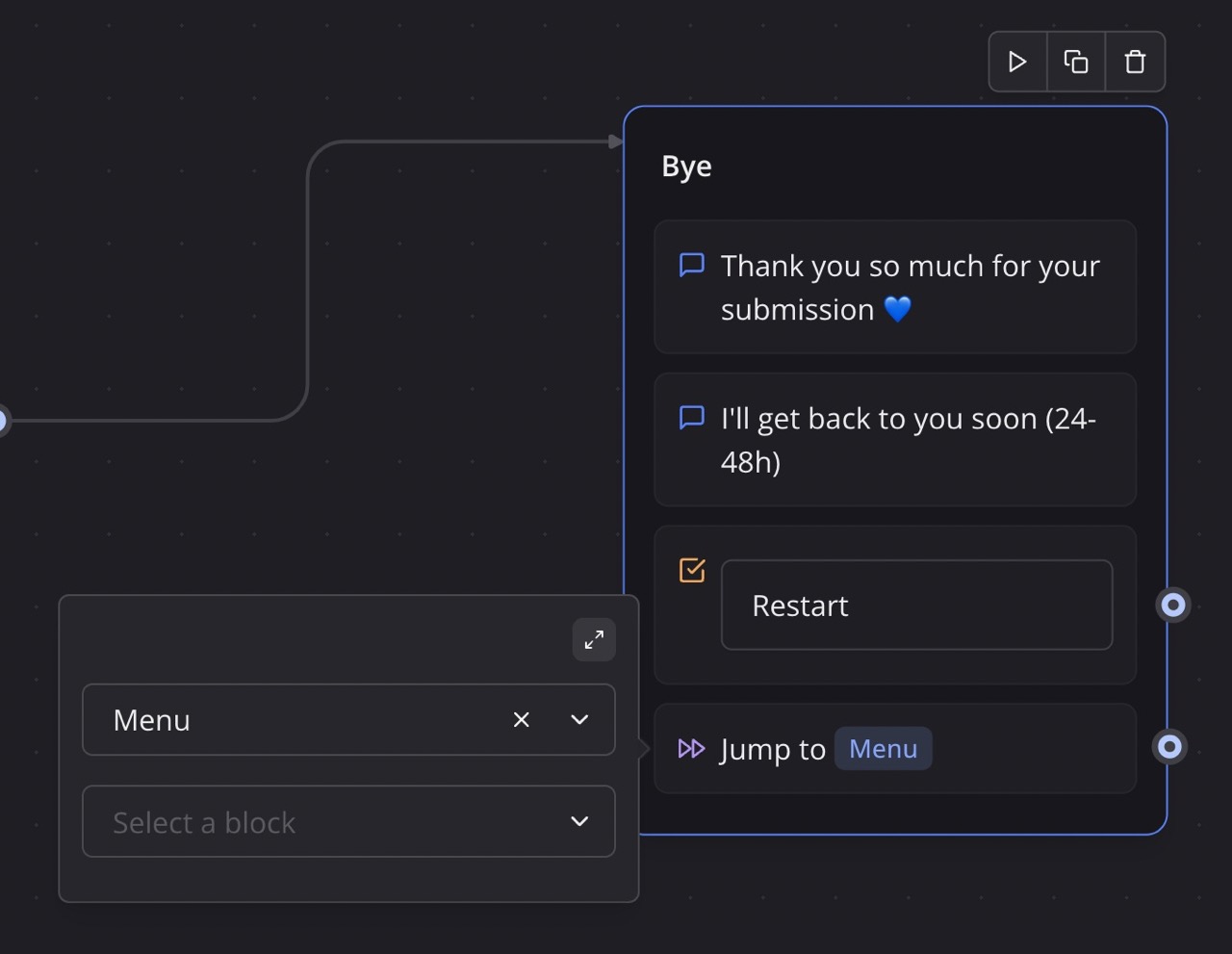
Configuration Options
| Option | Description |
|---|---|
| Target Group | Select the group containing the target block |
| Target Block | Choose the specific block to jump to within the group |
How It Works
The Jump block redirects the bot's flow to a specified block within the same bot, allowing you to skip unnecessary steps or reuse existing parts of the flow. This is particularly useful for creating modular workflows or looping back to earlier points in the conversation.
Setting Up a Jump
- Add the Jump block to your flow
- Click to configure the block
- Select the target group from the dropdown
- Select the specific block within that group
- The flow will redirect to that block when reached
Example Usage
Creating a Menu Loop
Build a main menu that users can return to:
- Create a "Main Menu" group with options
- Build separate flows for each menu option
- At the end of each option flow, add a Jump block back to the main menu
- Users can navigate through multiple features in one session
Error Handling
Redirect users when validation fails:
- Collect user input (e.g., email address)
- Use a Condition block to validate the input
- If invalid, Jump back to the input block with an error message
- Continue when valid input is received
Reusable Confirmation Flow
Create a single confirmation sequence used multiple times:
- Build a confirmation group (e.g., "Are you sure?")
- Use Jump blocks from different parts of your flow to this confirmation
- Handle the response and route accordingly
FAQ Navigation
Allow users to ask multiple questions:
- Create an FAQ menu with topic options
- Provide answers for each topic
- Jump back to the FAQ menu after each answer
- Include an "Exit" option to end the loop
Best Practices
- Avoid Infinite Loops: Ensure every loop has an exit condition to prevent endless cycles
- Name Groups Clearly: Use descriptive group names so jump destinations are easy to identify
- Document Jump Destinations: Keep track of where each Jump block leads for maintenance
- Limit Jump Depth: Avoid deeply nested jumps that make flows hard to follow
- Test Thoroughly: Verify all jump paths work correctly in preview mode
- Consider User Context: Ensure users have necessary context when jumping to a new section
- Use for Reusability: Prefer jumps when the same flow segment is needed in multiple places