Claude Integration
The Claude block enables you to generate chat messages based on user queries, leveraging Claude AI to deliver responses directly in your bot.
Configure the Claude block in the Indite editor to integrate Claude AI for dynamic chat responses!
Create Message
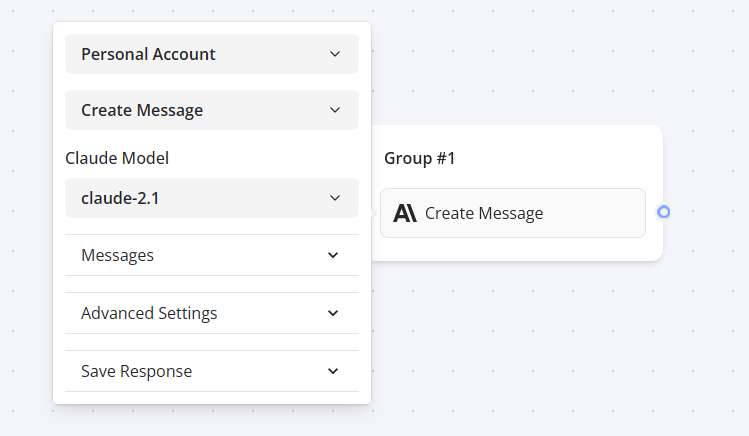
Set up the Claude block in the Flow Editor to enable Claude AI-powered responses.
Similar to the OpenAI block, the Claude integration includes a Dialogue message type, allowing you to seamlessly pass a sequence of saved assistant and user message history to Claude AI:
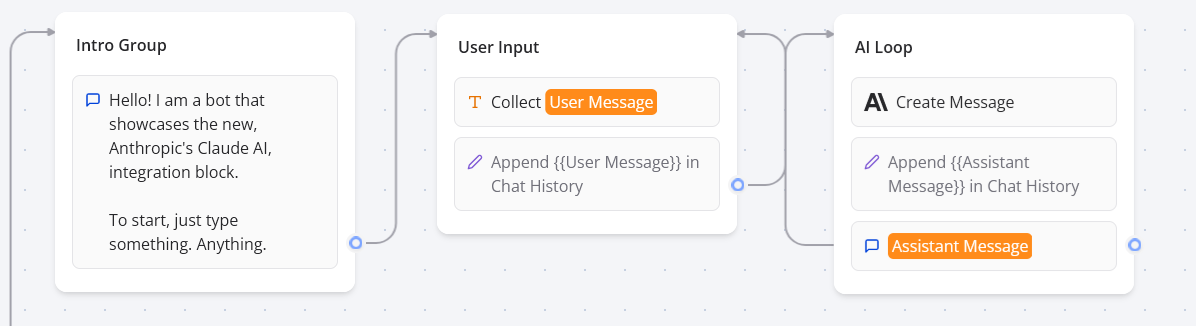
Append user and assistant messages to the chat history in the Flow Editor for contextual Claude AI interactions.
You can then provide the Claude AI block with access to this message sequence:
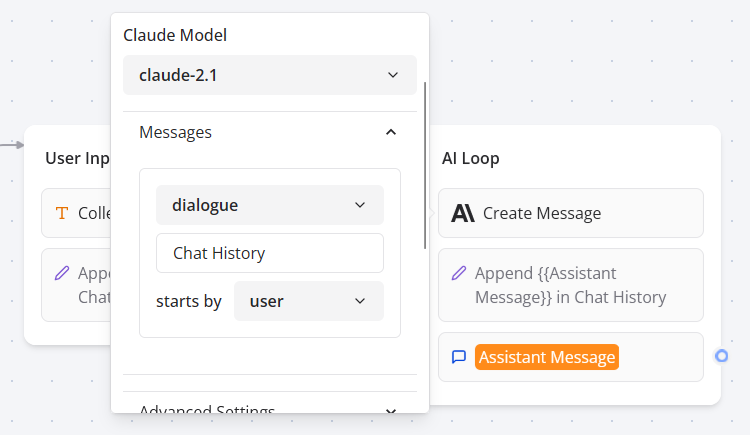
Configure the Dialogue message type in the Flow Editor to leverage message history with Claude AI.
Finally, store the assistant’s response in a variable to append it to the chat history and display it in your bot:
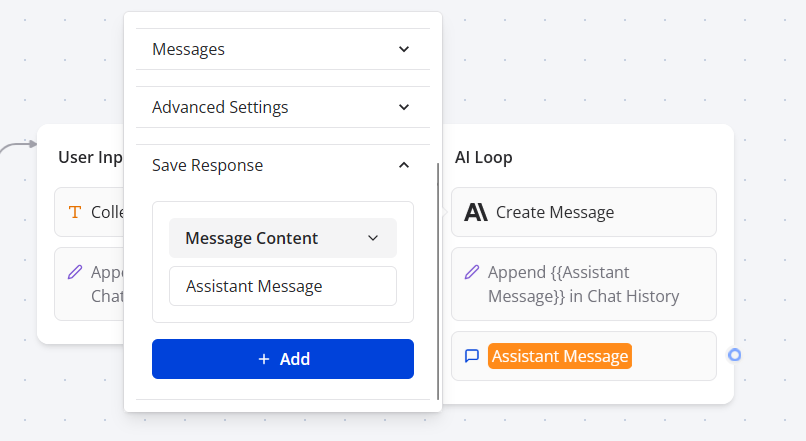
Save and display the Claude AI response in your bot for a seamless conversational flow.
Vision Support
The Create Chat Message and Ask Assistant blocks support vision, automatically detecting image URLs in user messages provided to Claude AI. Ensure the URL is isolated from other text for proper detection. Here’s an example of a message with an image URL:
What's in this picture?

https://domain.com/image.png
If the selected model is not compatible with vision (opens in a new tab), the image URL will be treated as plain text.
Ensure image URLs are isolated in user messages to enable vision support with compatible Claude AI models.