History lets you browse full chat transcripts, one session at a time.
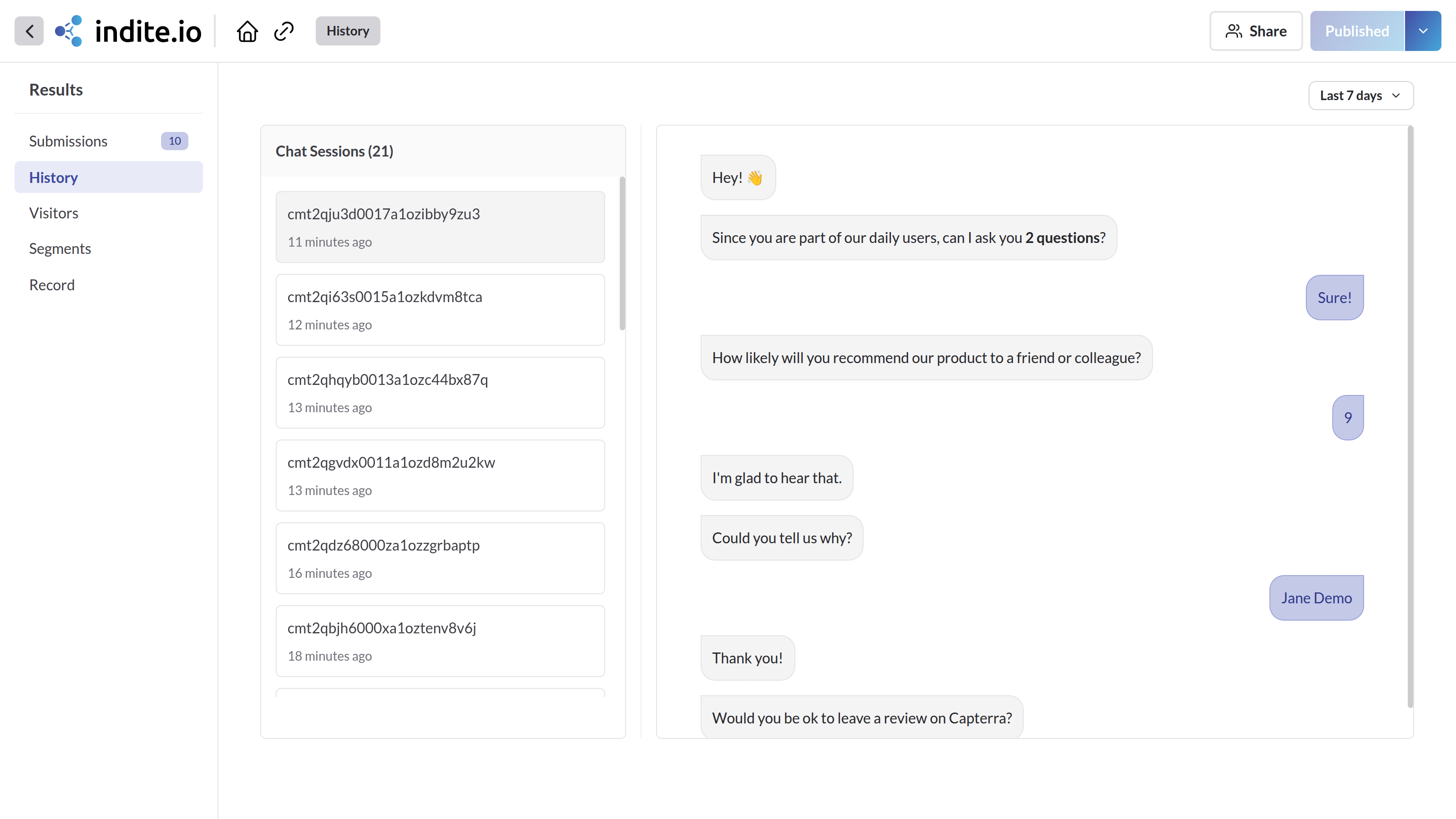
- The left pane lists chat sessions by creation date; the most recent session is selected automatically.
- The right pane shows the full transcript for the selected session, rendered as chat bubbles — bot on the left, user on the right.
- Use the time filter in the top-right corner to scope the session list to a date range.
Transcripts render rich content inline where possible: images (JPG, PNG, WebP, AVIF, GIF) display directly, audio (MP3) and video (MP4, MKV) get inline players, and PDFs or Word documents appear as links.