Typing emulation mimics human typing speed so bubble-by-bubble responses feel natural instead of appearing all at once.
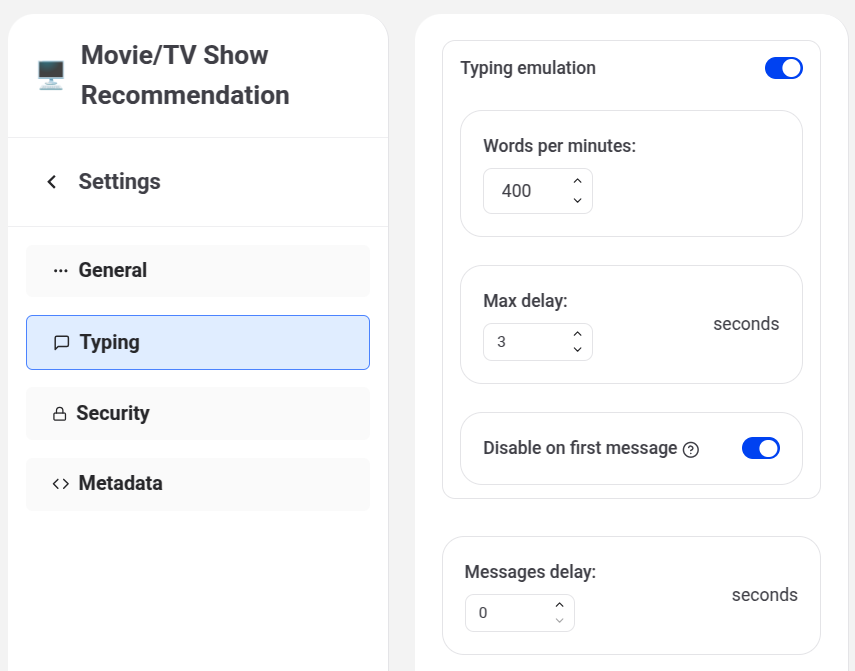
Typing emulation
Toggle this on to reveal:
- Words per minute — the simulated typing speed (adjustable in steps of 30).
- Max delay — the longest a bubble will wait before appearing, in seconds (0–5).
- Disable on first message — skips typing emulation for the bot's very first message, so users aren't kept waiting before the conversation even starts.
Messages delay
Always visible regardless of the typing emulation toggle: a delay (0–5 seconds) inserted between consecutive bot message bubbles.
For a one-time pause at a specific point in the flow rather than a delay between every message, use the Wait Block instead.